A paralegal opens a new intake folder and finds a familiar mess. Scanned ER notes with crooked page order. Orthopedic records named “scan001.pdf.” A demand draft saved as “final,” “final2,” and “final-use-this.” Lab reports from multiple providers sit in email, on a shared drive, and inside someone's desktop downloads folder. The problem isn't just clutter. It's that no one can see the case clearly.
That's why generic file organization advice keeps failing personal injury firms. “Use clear folders” sounds reasonable until one file set includes hundreds of pages across many providers, dates, and treatment events. At that point, a neat folder tree alone doesn't produce a litigation-ready chronology. It just hides the disorder inside better-looking folders.
The gap is widely felt. A 2025 industry report by the National Conference of Personal Injury Lawyers indicates that 78% of PI attorneys cite disorganized medical record review as the top bottleneck in case preparation, yet mainstream guidance still stops at basic folder tips and never gets to chronology automation. If your team is already trying to improve organizing documents effectively, the next step isn't another naming rule by itself. It's a system designed for litigation, provider sprawl, and PHI.
Beyond the Filing Cabinet Your Guide to File Organization Systems
A filing cabinet mindset still shapes a lot of digital practice. One folder for pleadings. One for medicals. One for correspondence. That works until volume breaks it.
In PI work, records don't arrive in one clean batch. They come from different providers, in different formats, at different times, and with different naming habits. Staff then spend hours renaming files, moving PDFs, and trying to reconstruct treatment history from fragments. The result is familiar: weak chronology, missed gaps in care, and duplication of effort between intake, pre-lit, and litigation teams.
Why generic advice breaks down in PI practice
Most articles about file organization systems assume low-volume business admin work. They don't address the actual legal problem, which is turning medical records into a usable case narrative. A provider-based folder may help store documents, but it doesn't answer the questions that matter in a demand package or mediation memo:
- What changed first: symptom onset, diagnosis, imaging, or referral?
- Where are the treatment gaps: not just missing files, but medically meaningful gaps.
- Which records matter most: the pages that support causation, severity, and progression.
Generic organization creates storage order. Litigation-specific organization creates argumentative order.
A strong system has to do both. It has to preserve source documents, and it has to expose the relationships between them. That means file organization systems for law firms can't stop at folders. They need naming discipline, metadata, access control, and a way to assemble chronology without making staff reread the same record stack over and over.
What firms actually need
The firms that handle this well usually standardize around a few essential standards:
- One matter-centered structure: every document belongs to a case, not to a person's inbox.
- Search beyond folder names: staff need to find provider, treatment date, diagnosis, and document type quickly.
- Security built into organization: PHI can't be an afterthought.
- Automation for record-heavy workflows: otherwise the system collapses under case volume.
That's the difference between a tidy shared drive and an operating system for case preparation.
The Four Levels of File Organization
Most firms don't jump from chaos to a polished legal workflow overnight. They move through levels. Understanding those levels makes it easier to see why some file organization systems hold up under pressure and others don't.
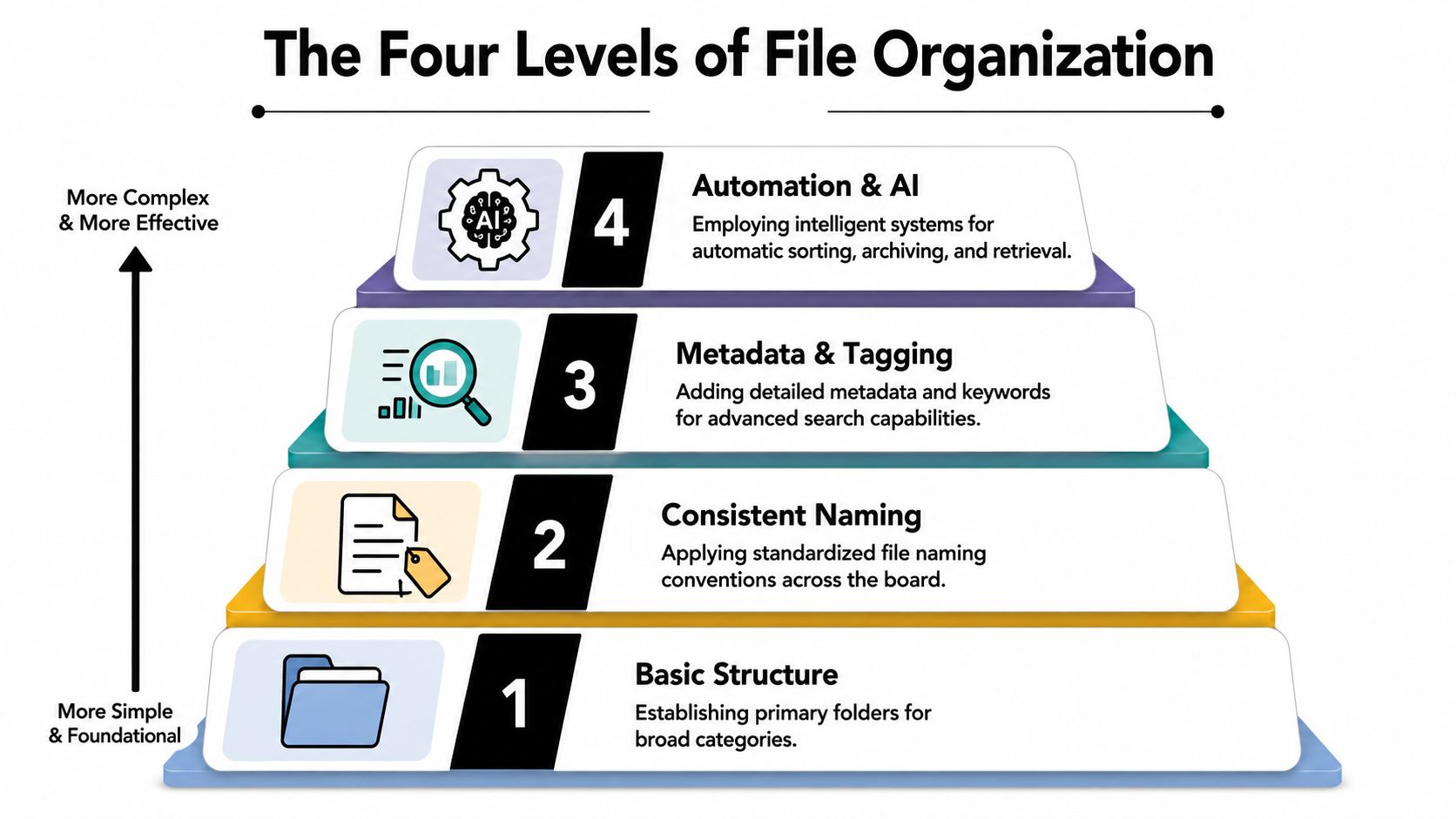
Level one is ad hoc storage
This is the “everyone saves things where they think they belong” model. Desktop folders, email attachments, personal shortcuts, and a shared drive with inconsistent habits. It works only while the team is small and the file volume is low.
The main trade-off is simplicity versus predictability. Staff don't need training to create random folders, but the firm pays for that later in lost time, duplicate work, and version confusion.
Signs you're here:
- Files live in too many places: email, desktop, cloud drive, scanner app.
- Naming depends on the person: one user saves by date, another by provider, another by task.
- Search results are noisy: “records.pdf” appears everywhere.
Level two is hierarchical organization
This is the standard directory tree. Matter folder, then subfolders, then more subfolders. It became the default for a reason. The hierarchical file organization system was pioneered in 1965 by the Multics operating system proposal, later becoming the foundation for Unix-style file systems and modern computing. Studies indicate users can locate files 10 to 20 times faster in a structured directory tree compared to a flat system.
That matters in legal work because basic structure still beats chaos. If your current environment is a loose pile of PDFs, moving to a consistent hierarchy will immediately reduce friction.
A practical upgrade at this level is a documented naming standard. A legal-focused approach to file naming conventions helps prevent the usual problems with dates, duplicates, and “final” versions.
Practical rule: A folder tree should answer where a file belongs. The file name should answer what it is without opening it.
The weakness of level two is that folders only allow one primary home. A hospital bill can belong to medicals, damages, lien review, or chronology review depending on who's looking for it. A single folder path can't satisfy all those retrieval needs.
A short walkthrough of core concepts can help teams align before they rebuild process:
Level three is metadata and database logic
A document management system starts to outperform a shared drive. Files still exist, but retrieval depends less on path and more on indexed attributes such as client, provider, date of service, diagnosis, document type, or status.
The technical analogy is useful here. In database systems, hashed organization enables average access times of O(1) for single-record lookups, which makes it ideal when a user needs one exact item fast. Indexed organization is better for complex queries, especially when users need to filter or combine conditions across large datasets.
That maps cleanly to PI work. If a case manager wants one exact MRI report, direct lookup matters. If trial prep needs all pain-management records within a date range, filtered search matters more.
Level four is automation and AI
At this level, the system doesn't just store and retrieve. It classifies, tags, groups, and structures. That changes the job from “where should this PDF go?” to “what does this document mean in the context of the case?”
This is the level PI firms need when they're buried under provider records. AI can assist with document type recognition, provider extraction, date normalization, chronology building, and work queues for review. The human role shifts toward exception handling, legal judgment, and strategy.
How to Select a System for Your Law Firm
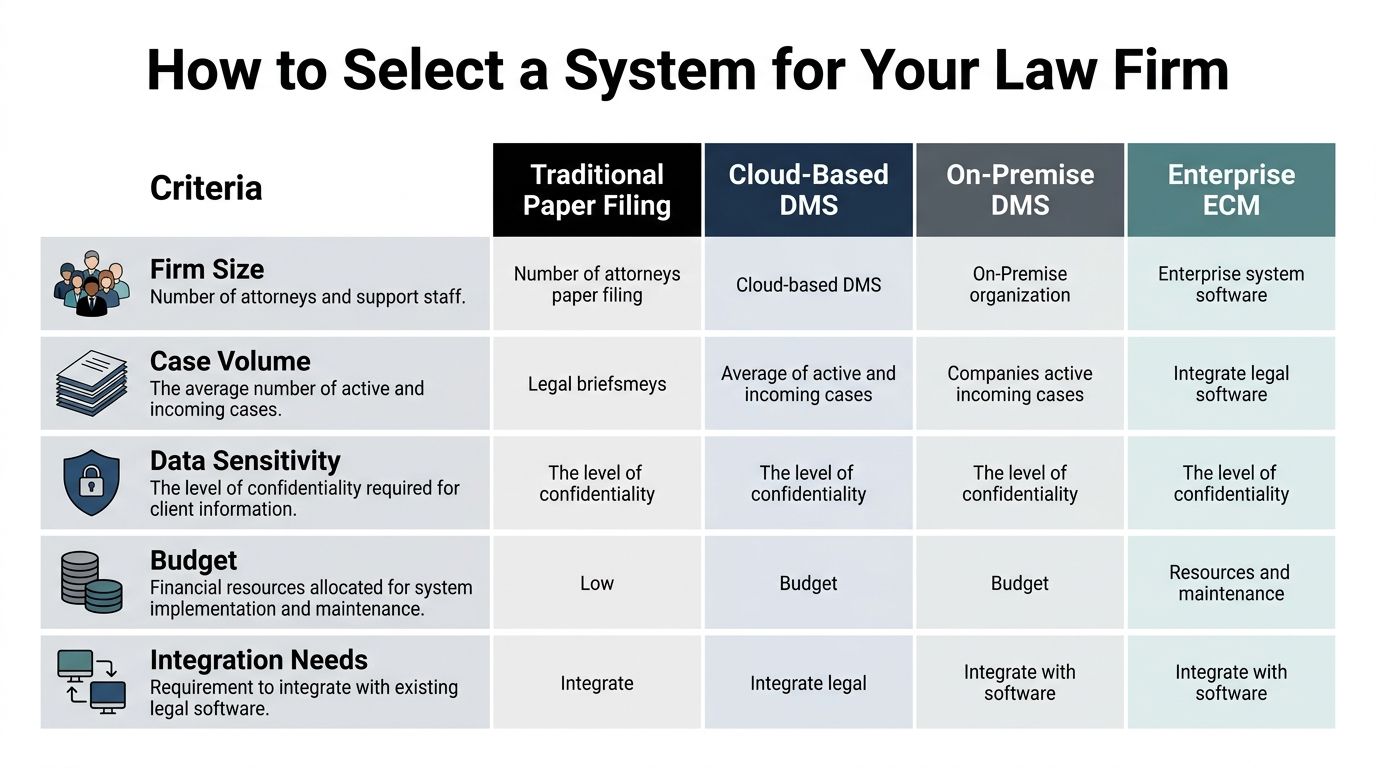
Selection gets easier when you stop comparing products by feature lists and start comparing them by failure points. In PI firms, file organization systems fail in a few predictable places: too many active matters, too much record volume, poor cross-team visibility, and weak controls around PHI.
Start with the retrieval problem
Ask what your staff most often needs to do.
If they mostly save and retrieve completed PDFs by matter, a disciplined shared drive may be enough for a while. If they need to search by provider, date of service, issue, or treatment category across active files, a DMS becomes more useful. If they're repeatedly building chronologies or extracting facts from long medical packets, manual retrieval isn't the primary bottleneck anymore. Review labor is.
The database trade-off is instructive. Hashed file organization reduces latency by up to 90% for random lookups, while indexed organization reduces execution time by 40 to 60% for complex queries in large datasets. In plain terms, some systems are built to find one thing fast. Others are built to answer layered questions. PI firms usually need both.
Evaluate by operational pressure, not vendor promises
Use these criteria:
- Scalability: Can the system absorb more cases without turning every new intake into another manual cleanup project?
- Searchability: Can staff find records by more than folder path and file name?
- Collaboration: Can legal assistants, paralegals, attorneys, and demand writers work from the same record set without spawning parallel versions?
- Compliance posture: Does access follow role, matter, and document sensitivity?
- Workflow fit: Can the system support chronology, summary building, and handoff between teams?
Here's a practical comparison.
| Criterion | Manual System (Shared Drive) | Document Management System (DMS) | AI-Powered Platform (like Ares) |
|---|---|---|---|
| Matter setup | Fast to create, inconsistent over time | Structured templates and permissions | Structured intake plus automated classification |
| Retrieval style | Folder path and file name | Search by metadata and indexed fields | Search plus extracted facts and chronology context |
| Best use case | Small team, low complexity | Growing firm with repeatable process | High-volume PI record review and case prep |
| Main weakness | Version confusion and hidden work | Requires disciplined tagging and governance | Needs training, oversight, and workflow design |
| Compliance handling | Often basic and manual | Better access control and audit support | Stronger fit when compliance tagging is built into processing |
Buy for the work your team repeats every day, not for the demo scenario shown in a sales call.
What works and what doesn't
What works is boring on purpose. Standard intake. standard naming. Standard permissions. Standard review stages.
What doesn't work is trying to solve case complexity with deeper folders. Every extra layer adds navigation cost and usually hides the actual issue, which is that lawyers aren't looking for folders. They're looking for facts.
Navigating HIPAA and Legal Compliance Risks
Many firms still treat compliance as a settings problem. Add passwords. Limit a few folders. Remind staff not to share the wrong link. That approach fails because the risk isn't only where files are stored. It's how they're tagged, routed, exported, and exposed during day-to-day work.
According to the 2025 U.S. Department of Justice Legal Tech Survey, 64% of law firms experienced a compliance breach due to improper file sharing or metadata leakage, yet only 12% had an automated file organization system with built-in compliance tagging. For PI firms handling medical records, that should change how you think about organization. The structure itself has to support compliance. For firms evaluating HIPAA-compliant document management, that means looking beyond storage and into access logic, auditability, and tagging discipline.
Why password-protected folders fall short
A password can restrict entry. It doesn't explain who should see which document, under what circumstances, and whether that access should be logged.
A common failure pattern looks like this: staff download a record set locally, rename a few files, email excerpts for review, and then save a cleaned version in a new subfolder. The firm now has multiple copies, unclear permissions, and no reliable trail of who handled what. That's not just messy. It creates exposure around PHI.
Compliance-driven structuring
A safer model organizes by matter while layering metadata and role-based access over the files. That lets the firm apply rules based on document content and user role, not just folder location.
Key controls include:
- Role-based access: intake staff, attorneys, and outside vendors shouldn't all inherit the same visibility.
- Audit-ready handling: the firm should be able to trace uploads, edits, exports, and sharing activity.
- Metadata awareness: diagnosis, provider, and treatment dates are useful for work product, but they also raise sensitivity questions.
- Controlled exports: downloading and forwarding should follow policy, not habit.
Security should determine structure. Structure shouldn't fight security.
The firms with the fewest compliance headaches usually do one thing right early: they stop separating “document organization” from “privacy operations.” In PI practice, those are the same project.
A PI Firms Template for File Organization
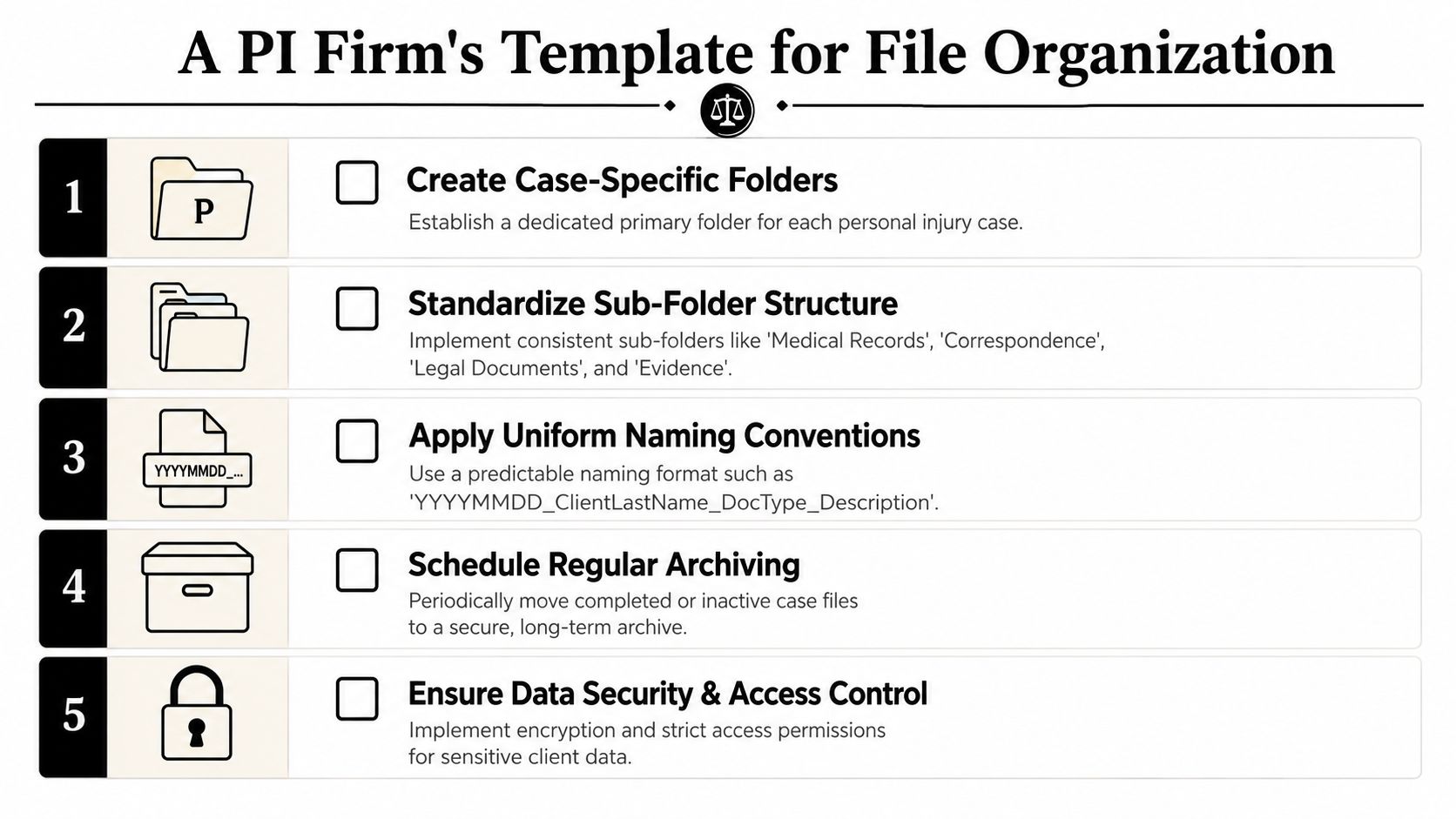
A good template does two jobs. It gives staff a predictable place to put files, and it gives the firm a predictable way to retrieve meaning from those files later. If your current structure only solves the first problem, it won't hold up under active litigation.
Use a shallow, repeatable folder structure
Expert-level file organization in legal settings works better when folder depth is limited to five levels and naming conventions are standardized. That matters because teams under pressure don't move through folders gracefully. They search, skim, and click fast.
A practical PI structure looks like this:
Matter root folder
2026-PI-00421_Smith-JonesCore subfolders
01 Intake02 Medical Records03 Billing and Liens04 Pleadings and Court05 Correspondence06 Damages and Evidence07 Demand and Negotiation08 Archive
Optional medical breakdown inside 02 Medical Records
Received RawProcessedChronology SupportProvider Packets
This structure stays shallow and matter-centered. It avoids the common mistake of creating a maze of provider folders, then adding date folders inside those, then adding duplicate document-type folders under each.
Adopt one naming convention and enforce it
For law firms, the naming pattern should carry enough meaning that users can identify a file without opening it. One reliable model is:
CaseID_ClientLast_DocType_YYYY-MM-DD_Provider_Descriptor
Examples:
2026-PI-00421_Smith_MedRec_2026-01-14_MercyER_VisitNotes.pdf2026-PI-00421_Smith_Bill_2026-02-03_RiverOrtho_Invoice.pdf2026-PI-00421_Smith_Demand_2026-04-11_Draft01.docx
Use YYYY-MM-DD consistently so files sort chronologically. Use zero-padded numbering for drafts or grouped records when sequence matters.
Common naming failures to eliminate:
- “Final” as a version label: it becomes meaningless after the next revision.
- Provider abbreviations no one agrees on: standardize the provider name list.
- Missing dates: if the document has a service date, capture it.
Add metadata that folders can't carry
Folders answer location. Metadata answers context.
At minimum, PI firms should tag or index for:
- Provider
- Date of service
- Document type
- Treatment category
- Injury area
- Record status such as raw, reviewed, summarized, or privileged
- Access tier for PHI sensitivity or restricted handling
File organization systems become more than digital cabinets; a user can filter all orthopedic visits in a period, isolate missing billing support, or pull every document relevant to a treatment gap review. That's impossible to do well with folders alone.
When a team debates whether a document belongs in one folder or another, the structure is usually doing too much and metadata is doing too little.
Build around review flow, not storage alone
A PI matter moves. Intake gathers. Records arrive. Staff clean and review. Attorneys assess. Drafting begins. Negotiation and litigation create new outputs. Your system should reflect that movement.
The operational gain is substantial. A metadata-driven setup, combined with AI-powered document structuring, can reduce manual document review time by over 10 hours per case. The point isn't just time savings. It's consistency. The same case facts become available to everyone working the file, without each person reconstructing the stack from scratch.
Supercharging Your System with AI and Ares
Even with a strong template, someone still has to read the records, identify the provider, normalize the dates, classify the document type, and connect events into a chronology. That's the expensive part of the workflow. Manual file organization systems improve storage discipline, but they don't remove review labor.
Where AI changes the workload
AI is most useful when the input is messy and the output needs structure. In PI practice, that means scanned packets, mixed provider records, duplicate pages, billing support, narrative reports, and chronology building.
A practical implementation looks like this:
- Ingest unstructured files: drag-and-drop uploads from scanner exports, email, or shared folders.
- Extract useful fields: provider names, treatment dates, diagnoses, procedures, symptoms, and document type.
- Apply tags automatically: so records are searchable without relying on staff to label every file by hand.
- Generate structured work product: chronologies, summaries, and draft-ready support for demands.
If your team wants broader background on how this category works, Matil's complete guide to IDP is a helpful primer on intelligent document processing in document-heavy environments.

What this looks like in legal operations
Ares fits into this layer as an AI-powered platform built for personal injury firms. It processes medical records, extracts dates, diagnoses, treatments, providers, and symptom progression, then turns those materials into organized outputs such as medical chronologies and demand-drafting support. In practice, that means the system isn't only filing documents. It's structuring the facts inside them.
The implementation question isn't whether AI replaces your process. It doesn't. It standardizes the repetitive parts so your staff can review exceptions, validate chronology, and focus on strategy. Training still matters, especially when introducing new handoffs and review checkpoints. A structured training and onboarding approach is usually the difference between a pilot that stalls and a system the firm adopts.
What works here is targeted automation. Start with the workflows that repeatedly consume skilled time: records intake, chronology prep, provider sorting, and demand support. Keep attorney judgment where it belongs. Let automation handle the repetitive document mechanics.
Building Your Firms Single Source of Truth
The phrase gets overused, but the underlying goal is real. Every active matter needs one trusted operational record. Not one copy in email, another on a drive, and a third in someone's personal folder. One place where the latest documents, the right permissions, and the usable chronology all align.
That's why file organization systems matter so much in PI firms. They don't just determine whether files are tidy. They shape how quickly your team can understand a case, how safely it handles PHI, and how consistently it turns documents into arguments.
A manual shared drive can be enough for a small, controlled environment. A DMS can give growing firms stronger retrieval and governance. An AI-assisted workflow becomes necessary when record volume, provider sprawl, and chronology demands outgrow human sorting capacity. The right choice depends on workload, but the wrong choice is easy to spot. It's the system that forces your staff to repeatedly do the same document cleanup by hand.
Firms that upgrade this part of operations usually see the benefit in places that matter most: cleaner handoffs, less duplicate review, tighter compliance control, and stronger case narratives. Organization isn't back-office housekeeping. It's litigation infrastructure.
If your firm is spending too much time turning raw medical records into usable case facts, Ares is worth evaluating. It's built for PI workflows where chronology, provider detail, and document-heavy review drive the outcome, and it helps turn unstructured records into organized, case-ready outputs without relying on manual sorting alone.