
A demand is three weeks out, and the treatment file just landed as a stack of PDFs, faxes, and phone photos. Nobody on the team has read it yet. The buying question is not how many minutes a tool promises to cut. It is whether you can see where each fact came from, and where the software is guessing.
What Automated Case Management Software Is
Say a paralegal has about 1,200 pages of records and a demand that will not move. In a paper file room, a clerk reads every page and keeps a running chart of dates, providers, and bills. Automated case management software is that clerk, plus the cabinet. It stores the case file and also ingests, classifies, extracts, and routes information through a workflow.
A traditional case system only tracks calendars, tasks, and contacts. It does not read the chart note. The automated version does, which is why a missed negation or a bad scan still has to come back to a person.
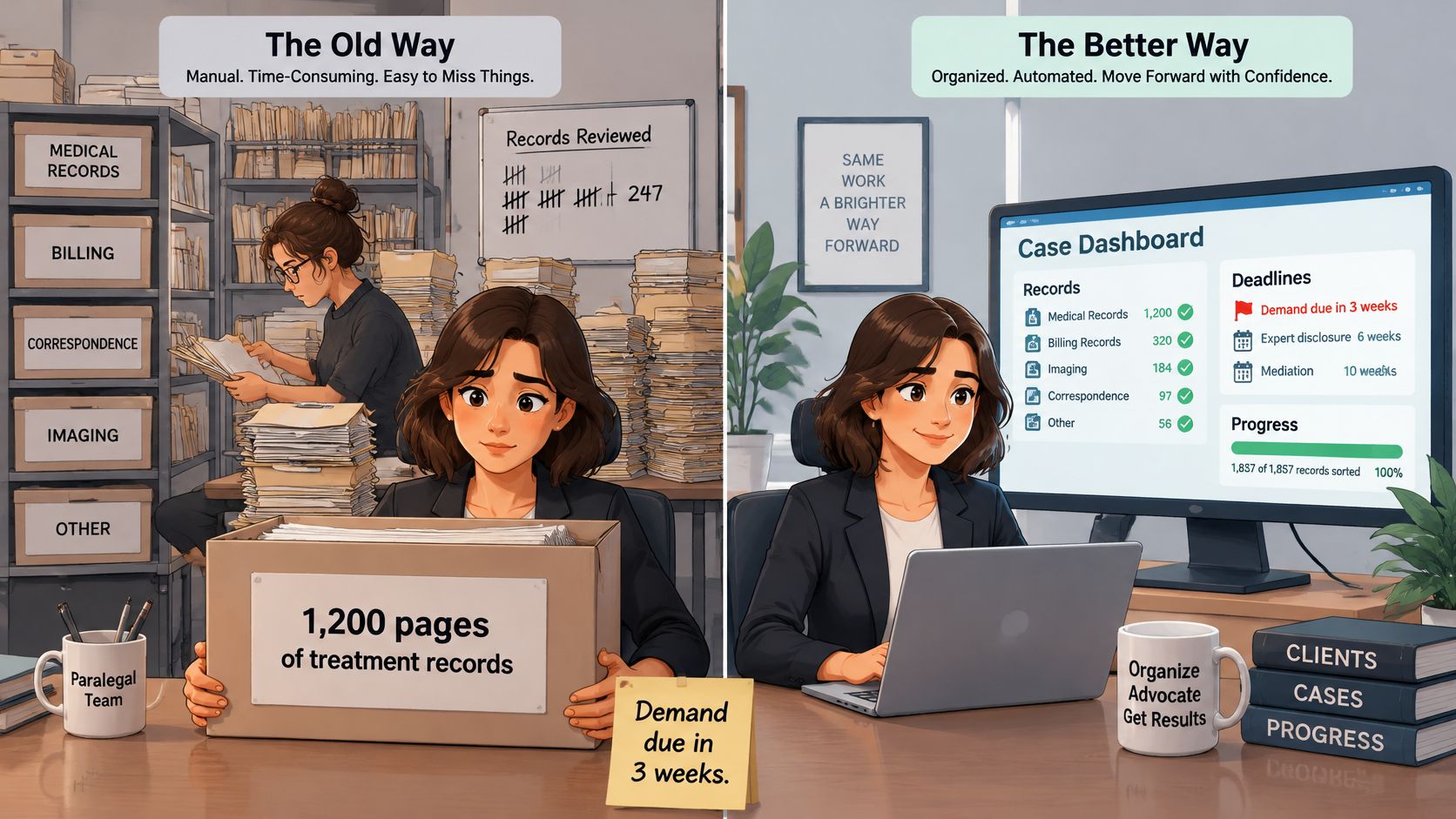
Federal practice already made that shift once. The Federal Judicial Center built COURTRAN in the mid-1970s to collect case data on mainframes, and by 2007 CM/ECF and PACER were nearly universal across the federal judiciary, as the U.S. Courts history of PACER and electronic filing describes. Record-keeping turned into systems that file, update, and share the content itself.
Three people work the same personal injury file every day, and they do not need the same thing from it.
- Attorneys need facts they can put in a demand without a later correction.
- Paralegals need records sorted by provider and the gaps called out.
- Case managers need deadlines and a file that stays current when a new disc arrives.
Core Features and What Each One Does
Four jobs define the category, and a fifth keeps the file from going stale. Score a product on these, not on a slide that says "AI-powered."
- Document ingestion takes PDFs, scans, faxes, and photos, then sorts them by type and provider. Handwriting and fax quality decide whether that sort is usable.
- Workflow automation opens tasks for records requests, intake follow-up, medical-summary review, and demand deadlines, and it should alert someone when a date slips.
- Integrations tie the file to email, document storage, calendars, and billing. Native connectors and an API decide whether staff retype the same name four times.
- Analytics build chronologies, billing summaries, treatment timelines, and caseload or turnaround views.
Automatic case updates sit across all four. In Ares, new documents are added to existing cases so the file stays current without a manual filing step. Duplicate detection and version history are what stop a second copy of the same operative report from looking like a new visit.
Use this as a scoring sheet in the demo. If a dashboard number cannot be opened back to a source page, do not accept it.
| Feature | What It Automates | What to Check Before Buying |
|---|---|---|
| Document ingestion | Sorts uploaded PDFs, scans, faxes, and images by type and provider | OCR accuracy on handwritten and faxed pages; bulk upload limits |
| Workflow automation | Creates tasks for records requests, intake follow-up, and demand deadlines | Editable rules; alerts when a deadline is missed |
| Integrations | Connects case data to email, document storage, calendars, and billing | Native connectors versus manual export; API availability |
| Analytics and reporting | Builds chronologies, billing summaries, treatment timelines, and caseload dashboards | Whether every figure links back to its source page |
| Automatic case updates | Files new documents into existing cases without manual filing | Duplicate detection and version history |
Two checks that matter more than the feature list
OCR on the ugly pages. Bring a faxed ER note and a handwritten therapy log. If those fail, the rest of the chronology is built on holes.
A rule you can edit. Ask the vendor to change a demand-deadline rule while you watch, then show the alert that fires when that task is late. A workflow you cannot change will not match how your intake desk operates.
Selection Criteria Before the Demo
A demo proves little until the firm has already decided what to score. I would weight these five before anyone opens a slide deck, and I would keep security questions on a separate sheet so a polished login screen does not dilute them.
| Criterion | Why It Matters | Evidence to Request |
|---|---|---|
| Verifiability | Lets reviewers confirm facts in seconds | Source-linked sample output with confidence scores |
| Workflow fit | Stops staff from bending work to fit the tool | Configuration session on a real matter type |
| Integration depth | Decides whether data gets re-typed | Connector list and API documentation |
| Data control | Protects the firm if it changes vendors | Full export of files and audit logs |
| Pricing transparency | Avoids surprise costs at volume | Written per-matter or per-page rates |
Verifiability means every extracted date, diagnosis, and total links to a page, with a confidence score and an exception queue. Ask the vendor to correct a flagged field in front of you.
Workflow fit means the tool is set up around your intake, records requests, and demands. Book a configuration session on one of your own matter types, not a canned auto case. A useful companion on what to lock in before you buy is our note on software evaluation criteria.
Integration depth is a count, not a logo wall. List native connectors to email, storage, calendars, and billing, read the API docs, and tally the steps that still need a manual export.
Data control is the exit. You want the full case file and the audit log in open formats, with those terms in the contract.
Pricing transparency is a written per-matter or per-page rate, the overage rule, and no fee to export your own file.
Practical rule: Write the weights down before the call. A team that scores after the demo is mostly scoring the presenter's pace.
Firms thinking past the first install can also use Lighthouse Legal's case management insights on what has to stay usable as the caseload and the software both change. Score the business associate agreement and access controls on their own line. Averaging them into these five hides a bad answer.
Where Automation Pays Off for Personal Injury Teams
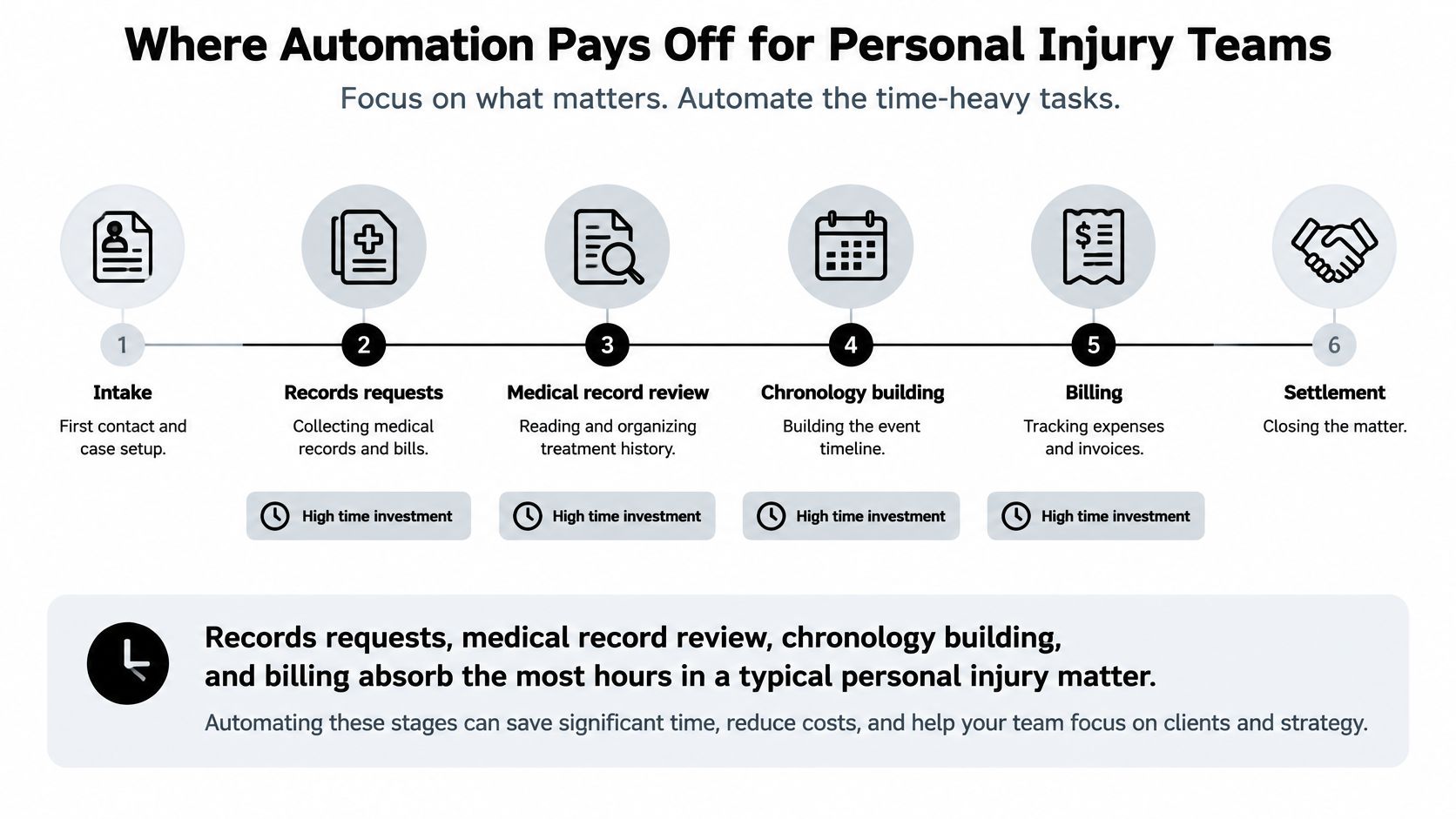
On a typical personal injury matter, the hours do not pile up at intake. They pile up while someone reads records, builds the chronology, reconciles bills, and drafts the demand. One case can run to thousands of pages across several providers, and that reading is usually the largest block.
What actually changes
Records can arrive already sorted by provider and type. Uploading the file can generate summaries, timelines, and insights that drop into a mediation brief. Billing totals can be assembled from the ledgers instead of a spreadsheet someone rebuilds on Friday. A first draft of the demand or brief can follow the firm's own template, with the narrative still waiting on the lawyer.
Treat the time claims as what the vendor and one customer report, not as an independent benchmark. Ares reports 15+ hours saved per case. Goody Law Group saves 15–20 hours per case with Ares. Your number will not match theirs unless your files look like theirs.
How to measure your own file
Time one recent case by stage. Use intake, records requests, medical record review, chronology, billing, and drafting. Run one pilot matter through the same stages and compare those clocks, not a blended "hours saved" number.
Workers' compensation files often benefit most, because we consolidate years of treatment records that would otherwise be read provider by provider. If the pilot only saves time on a clean, single-provider file, do not assume the same result on a seven-year comp chart.
How Records Move From Intake to Demand
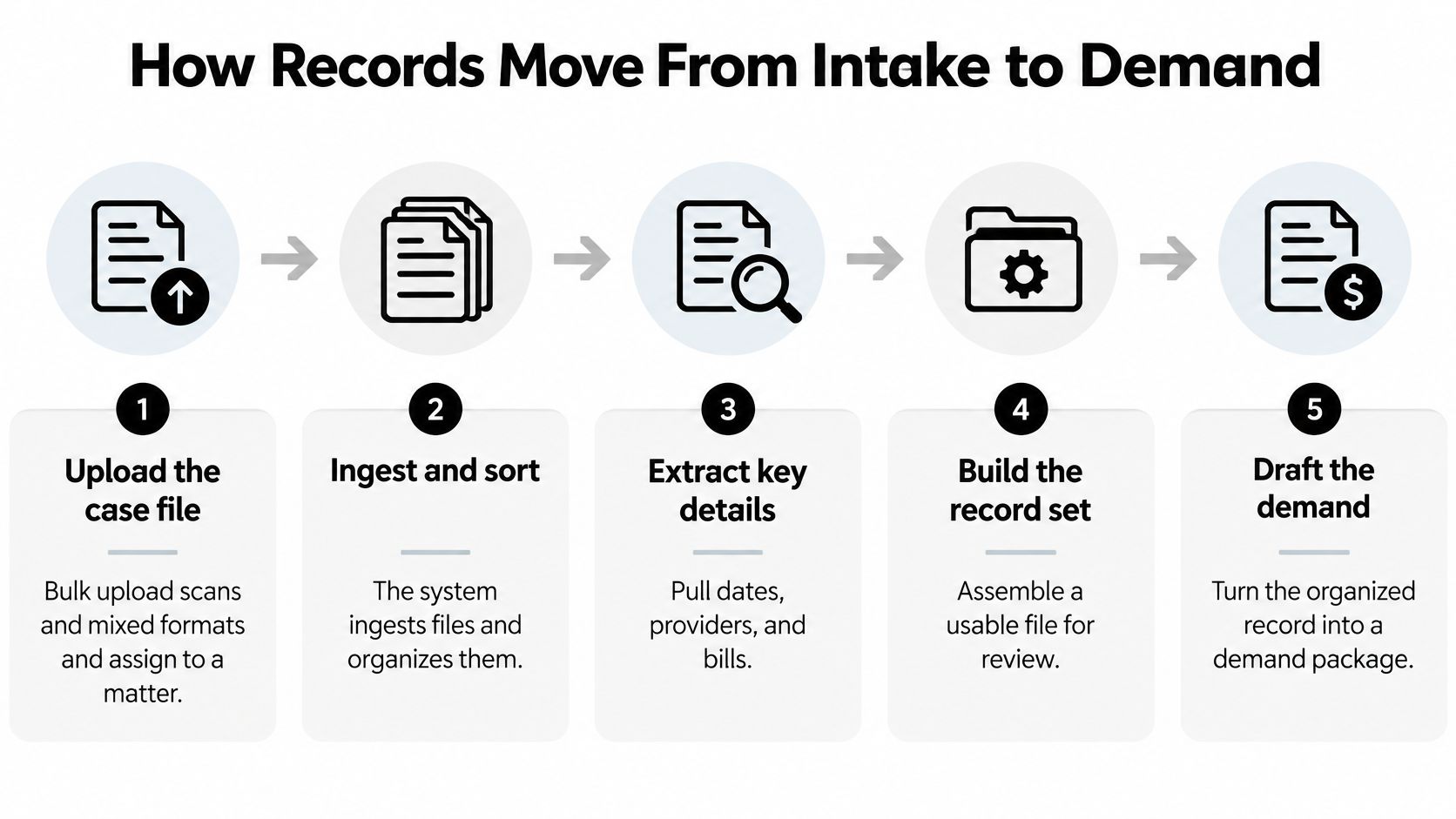
Speed is the easy part of this pipeline. The harder part is keeping a named person on every decision the software cannot make: which records to order, which conflicts are real, and which claims go in the letter. The pattern holds across platforms, including Ares, where new documents are added to the existing case automatically and the file stays current without manual work. Automation handles the movement. People handle the calls.
- Upload the file. Scans and mixed formats go in bulk and get assigned to the matter. A person still decides which providers are missing and which records to order next.
- Ingest and classify. Each document gets tagged by provider, date range, and record type. Someone checks that a billing statement was not filed as a narrative note.
- Extract the chronology. Dates, diagnoses, providers, and treatments land on a timeline. A reviewer decides which conflicts are real and which are copy-forward errors.
- Flag what the system is unsure about. Missing records, conflicting dates, and red flags go to a queue instead of getting smoothed over. The attorney or a trained paralegal chooses what gets chased before the draft is trusted.
- Confirm against the page. Key facts get opened back to the source document. Nobody signs a demand off a summary alone.
- Feed the draft. Approved facts flow into the mediation brief, letter of representation, or demand on the firm's template. The lawyer decides which claims the letter makes.
- Export with the citations. The draft leaves with its page references so the team can edit and track versions. For a fuller map of task ownership, see how a case management workflow splits review from drafting.
Where judgment stays with the lawyer
Automated steps can sort, total, and assemble. They do not decide causation, permanency, or what you are willing to say to the carrier. If a step has no named reviewer, it is not finished.
Step 4 is the one I judge a platform on. Any tool can produce a tidy chronology on a clean file. The question is what it does when the records disagree: whether it surfaces the conflict with a source you can open, or picks an answer and moves on. A queue of flagged items is a feature. A confident timeline with nothing flagged is a warning.
A short walkthrough of that handoff is easier to judge on screen than in a feature list. Watch whether every flagged item carries a page reference the reviewer can check.
Checking Extracted Facts Before They Reach a Demand
Extraction quality changes with the record in front of it. A 2025 systematic review of clinical-text extraction reported a median micro-F1 score of 81.2% across evaluated NLP studies, with results from 45.5% to 94.9% and recall from 58.5% to 91.8%; the same review found rule-based systems reaching 98.9% on one surgical-note registry while machine-learning results on mixed clinical notes swung much wider.
For a personal injury file, that spread means a clean hospital form and a messy therapy note are different jobs. Speed matters less than proof: if a field cannot be opened back to its page, it is not ready for a demand.
| Field | Why It Matters | How to Verify |
|---|---|---|
| Injury date | Anchors the chronology and any treatment gap argument | Match to the first emergency or intake record; look for conflicting dates |
| Diagnosis | Drives the medical specials and causation argument | Confirm against the treating provider's note; check negations such as "no history of" |
| Treatment | Supports the reasonableness of billed care | Cross-check against the billing ledger and provider records |
| Causation language | Determines whether an injury is tied to the incident | Read the full source sentence; watch for hedges and negations |
| Discharge status | Shapes permanency and impairment claims | Verify against the discharge summary and the most recent visit |
| Provider | Needed for records requests and expert review | Match the name to the records custodian list and provider directory |
How a reviewer moves fast without skipping
Ares Assistant lets someone ask a question of the case file and get a cited answer for depositions, trial prep, and case strategy, with page references across the entire file. That changes review from rereading the chart to testing the answer: check a treatment date, cross-reference a provider, confirm a clinical detail, then open the page and decide whether the source says it.
The order of review should follow risk. Start with fields that can wreck causation or inflate specials, then move to fields that only need formatting. Conflicting dates, negations, missing records, and hedged causation language deserve the first look; routine provider matches can wait.
Benchmark on a batch that looks like your real files, fragmented and multi-provider. Report precision, recall, and error rate separately for injury date, diagnosis, treatment, causation language, and discharge status. One blended score will hide the field that blows up a demand.
A generated summary is a draft for review. It is not the evidence.
What to Require From a Vendor Handling Medical Records
Security here means governing the whole path a record travels, from retrieval through upload to export. The HHS explanation of the HIPAA Security Rule requires administrative, physical, and technical safeguards for electronic protected health information. A vendor holding ePHI generally needs a signed HIPAA business associate agreement before the first chart is uploaded. Encryption belongs on the list; it does not replace a risk analysis, access rules, or physical controls.
We include encryption at rest and in transit. That is one control on a longer list. Put these questions to the vendor and keep every answer in the signed contract. A vague reply is a no.
- Role-based access and multifactor authentication for every user, including contractors.
- Tenant isolation, so another firm's files are never visible in your workspace.
- Encryption in transit and at rest, stated as an auditable control, with the standard and scope named.
- Immutable activity logs showing who opened, edited, or exported each document.
- Automatic session termination after inactivity, a basic technical control for any system holding client records.
- Retention and deletion that your firm sets, including what happens when a matter closes.
- Backup recovery tests with dates and results. Ask when the last restore test ran and how long it took.
- A current subprocessor list, with a review of each one before you sign.
- A written bar on model training using client data.
Keep the retrieval path in the same review
Many firms still pull records through an outside retrieval shop before anything hits the case system. Matil's guide to records retrieval companies is a practical way to compare how those vendors handle custodians, turnaround, and the handoff into your file. The case platform should hold PHI under the same rules as the retrieval vendor, since a second, looser copy widens every risk above.
If you want a checklist you can send before a security call, start from a vendor security assessment and require answers in the contract, since a slide deck cannot be audited.
Rollout Pitfalls and a One-Case Pilot
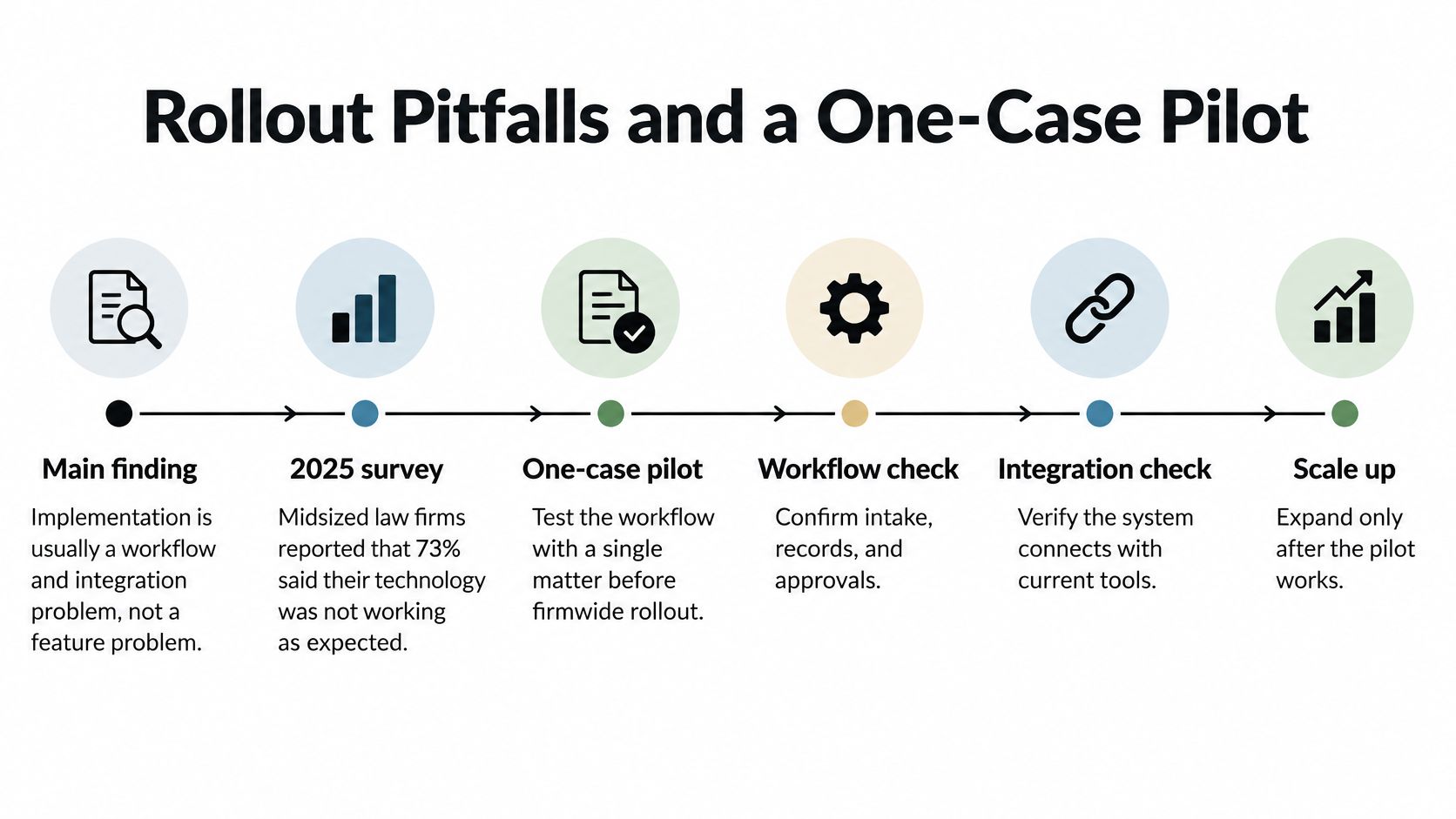
Firms usually fail the install because the workflow and the other systems were never the product being bought. A 2025 survey of midsized law firms, covered by LawNext, found that 73% said their current technology was not configured around how they work, and 83% lacked confidence that client or matter information was current and accurate. 61% preferred AI inside tools they already use. Legal GenAI use nearly doubled from 14% in 2024 to 26% in 2025, and plenty of firms are still piloting rather than running the tool on the whole docket.
We offer a personal injury version of our AI built for those case workflows. That focus does not remove the rollout work.
- Buying on demo minutes. Score error detection and source links instead.
- A second source of truth. Integrate with the system staff already update, or retire the old one. At Philbrook Law, paralegals upload case files to us, and we organize and analyze the records so they are not maintaining a parallel chart.
- Messy folders uploaded as-is. Deduplicate before the first bulk load.
- Default permissions and retention. Set both in writing before migration.
- No owner on the review queue. Name one person and a daily limit.
- No baseline. Time the last three matters by stage before you turn anything on.
One live matter, then four tests
Run the pilot on one personal injury file with several providers, a real demand date, and at least a few hundred pages. Sample injury dates, diagnoses, and treatment lines against the source pages. Confirm that access controls, the audit trail, and the signed contract work on a normal Tuesday, not only in a setup call. Set the accuracy bar before the pilot starts, or you will move it when the result is awkward.
Go forward only if all four hold. Accuracy meets the threshold you wrote down. Measured time on the heavy stages holds up against your baseline. Integrations remove duplicate entry. A named person owns the review queue.
A narrower tool with reliable connections and a clear review owner will beat a broad platform that sits beside the systems people actually use.
Expand in phases only after those results stick. Configure integrations and permissions, migrate one matter type, then train staff on the queue. Do not open the rest of the docket because the pilot felt busy.
Ares organizes personal injury case files, builds cited medical summaries and timelines, and drafts demands from your own templates while attorney review stays in the loop. If you want to see how a file proves its sources instead of only how fast a summary appears, look at one of your matters in Ares. Bring a messy record set and judge the exception queue, not the demo clock.