

Think of legal workflow automation software as the ultimate paralegal—one that never gets tired, never makes a typo, and never forgets a deadline. It's a system designed to take over the repetitive, rule-based tasks that clog up your firm's day, freeing up your team to focus on strategic legal work instead of administrative chores. For a personal injury firm, this isn't just a nice-to-have; it's a fundamental shift in how you operate, directly impacting both efficiency and profitability.
From Manual Chaos to Automated Clarity
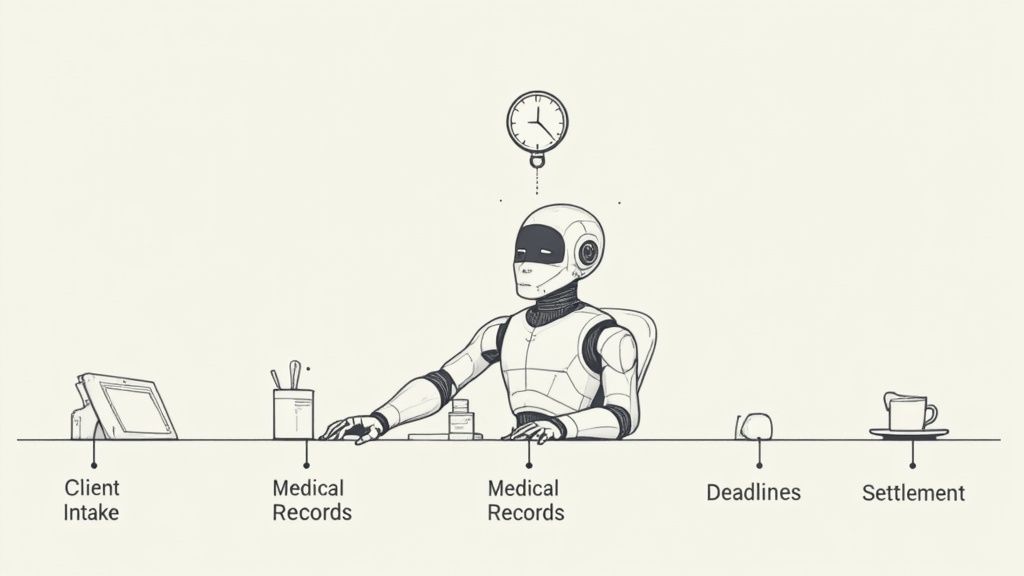
Think of this software as a digital conductor for your law firm's orchestra. It isn’t playing the instruments—that's still the job of your talented attorneys and case managers. Instead, it ensures every task happens exactly when it should, in the right sequence, without ever missing a beat.
Consider the manual process for a typical PI case. A new client calls, and someone jots down notes. That information then needs to be typed into your case management system, a physical folder gets created, and someone has to manually set calendar reminders for follow-ups and, most critically, the statute of limitations. Every single one of these handoffs is an opportunity for a mistake or a delay.
Now, imagine an automated workflow. A potential client fills out a form on your website. The system instantly gets to work:
- It creates a new matter in your case management software.
- The right paralegal gets an alert with their first set of tasks.
- A welcome email and engagement letter are generated and sent to the client.
- All critical deadlines are automatically calculated and added to the firm’s calendar.
This isn’t about replacing people. It's about empowering them. By taking the tedious, error-prone work off their plates, you allow them to focus on what they do best: building a winning case and fighting for your clients. For a deeper look into the mechanics, it’s worth understanding the principles behind AI-powered workflow automation.
Manual PI Workflow vs Automated PI Workflow
The contrast between the old way and the new way becomes incredibly clear when you compare common personal injury tasks side-by-side. It’s precisely this difference that has fueled massive growth in the legal tech market. The market size for robotic process automation (RPA) in legal services hit $2.18 billion and is expected to grow to $2.63 billion—a clear signal that firms are tired of operational bottlenecks.
This table breaks down the practical impact:
| Task | Manual Process (The Old Way) | Automated Process (The New Way) |
|---|---|---|
| Client Intake | Phone calls, handwritten notes, and redundant data entry into multiple systems. High risk of error. | A single web form automatically creates a client file, populates case data, and triggers the next steps. |
| Record Requests | Staff manually drafting, printing, addressing, and mailing individual letters to each medical provider. | All requests are generated and sent with one click, with automated follow-ups scheduled for non-responsive providers. |
| Deadline Tracking | Relies on manual calendar entries, sticky notes, and individual memory to track critical statutes. | All statutes and deadlines are automatically calculated from case data, with centralized alerts for the entire team. |
Making this switch is essential for any PI practice looking to scale. An AI-driven platform like Ares, for example, can completely take over hours of manual work on tasks like medical records review, letting your firm handle a larger caseload without sacrificing quality. You can see how https://areslegal.ai gets it done.
Ultimately, the goal is simple: empower your team, eliminate costly errors, and build a more profitable, client-focused firm.
Essential Features for PI Firm Automation
Picking the right legal workflow automation software isn't a one-size-fits-all exercise, especially for a personal injury practice. Generic platforms just don't get the unique rhythm of a PI case—the mountains of medical records, the intricate deadlines, the specific communication chains. To see real results, your firm needs a system designed for the specific realities of injury law.
Think of it this way: you wouldn't take a family sedan on a rugged off-road trail. You need a vehicle built for the terrain. Your PI firm navigates a specialized legal landscape, and your software must be equipped for that journey.
Automated Document Generation
So much of a PI firm's day is spent swimming in paperwork: demand letters, client updates, records requests. The right software turns this tedious, manual slog into a one-click operation. It intelligently pulls client data, medical treatment details, and case specifics straight from your records to populate your firm's templates.
For a PI practice, this means looking for specialized capabilities like high-quality interview transcription software, which is absolutely vital for documenting client intakes and witness statements accurately and efficiently. This isn't just a nice-to-have; it's a core component. In fact, over 65% of mid-to-large legal firms now use these tools, slashing document prep time by up to 70%.
PI Example: Picture drafting a demand letter. Instead of your paralegal spending hours digging through files to manually compile treatment dates and billing codes, the software does it instantly. It assembles a complete, accurate, and persuasive demand package in minutes, not hours. This gets your cases moving toward settlement that much faster.
Intelligent Client Intake and Onboarding
Your intake process is your first impression—and a clunky one can send potential clients running. A non-negotiable feature is an intelligent intake form that lives on your website. When a prospect fills it out, the software should instantly create a new matter, run a conflict check, and kick off the first set of tasks.
This is about much more than just collecting data. A truly effective system launches the entire case workflow from that very first touchpoint.
- Triggers Task Assignments: The system can automatically ping a paralegal to schedule the initial consultation.
- Sends Welcome Materials: An automated welcome email, complete with the engagement letter and intake packet, goes out immediately.
- Populates Case Files: All the information the client provided is used to build a new, organized digital file, cutting out duplicate data entry entirely.
Rule-Based Task and Deadline Management
Personal injury law is a minefield of unforgiving deadlines, with the statute of limitations being the most treacherous. One missed date can mean malpractice and the catastrophic loss of a client's case. In a high-volume practice, relying on manual calendaring is just asking for trouble.
This is where rule-based logic comes in. Your automation software should use the incident date and jurisdiction to automatically calculate and calendar every single relevant deadline, creating a firm-wide safety net.
It also keeps track of the hundreds of smaller tasks that push a case forward. For instance, when a medical record is requested, the system can automatically set a follow-up reminder for 30 days out if there’s no response. This simple step ensures nothing ever falls through the cracks.
This level of organization is what allows a firm to confidently handle a larger caseload without sacrificing accuracy. It transforms potential chaos into a predictable, manageable process, building the operational backbone your firm needs to grow.
Protecting Client Data with Secure Software
Bringing new technology into your personal injury practice always comes with a healthy dose of caution, and for good reason. When you're handling sensitive client medical records and confidential case details, protecting that information isn't just a professional courtesy—it's your core ethical and legal duty. That's why any conversation about legal workflow automation software has to start with security.
Think of your firm's data like the contents of a secure vault. You wouldn't just slap a cheap padlock on the door and hope for the best. You'd insist on reinforced walls, complex locks, and a log of who comes and goes. The software you choose needs to provide that same level of digital fortification.
The Cornerstones of Data Security
As you start looking at different platforms, you'll find that some security features are simply non-negotiable. These aren't just fancy add-ons; they are the fundamental safeguards that stand between your clients' data and a potential breach. Together, they create a robust defense against digital threats that could wreck your firm's reputation and your clients' trust.
Here are the absolute must-haves:
- End-to-End Encryption: This is the bedrock. It ensures that all data—whether it's in transit between systems or just sitting on a server—is completely scrambled and unreadable to anyone without the right key.
- Multi-Factor Authentication (MFA): Passwords alone just don't cut it anymore. MFA adds a critical second layer of verification, making it exponentially harder for an unauthorized person to get into your system even if they steal a password.
- Regular Security Audits: A vendor who takes security seriously will hire independent, third-party experts to try and break into their own systems. This shows they are proactively looking for and fixing vulnerabilities before they become a problem.
These aren't just buzzwords; they are the essential components of a system you can actually trust with your clients' most sensitive information. For a deeper dive into what this looks like in practice, you can see the comprehensive security measures that protect legal data on a modern platform.
Navigating HIPAA Compliance and PHI
For personal injury firms, the Health Insurance Portability and Accountability Act (HIPAA) adds a whole other dimension to this discussion. Nearly every document that crosses your desk contains Protected Health Information (PHI)—medical diagnoses, treatment notes, billing records. Any software that even touches this data absolutely must be HIPAA compliant.
A data breach involving PHI is a nightmare scenario. It can trigger crippling fines that run into the millions, not to mention the catastrophic damage it does to your firm's credibility. Getting this right is not optional.
HIPAA compliance is far more than a checkmark on a sales brochure. It requires a vendor to make a serious, ongoing commitment to specific technical and legal protocols.
First and foremost, you need a Business Associate Agreement (BAA) from the vendor. This is a legally binding contract that clearly defines the vendor's responsibility to protect PHI according to federal law. If a vendor won't sign a BAA, walk away. Without one, all liability for a data breach on their platform falls squarely on your firm.
Beyond the legal paperwork, the software itself should help you stay compliant. Look for tools like secure client portals for sharing medical records and other documents. These are vastly safer than sending sensitive files back and forth over email, where they can be intercepted or accidentally forwarded. A secure portal creates a controlled, auditable environment for all communication, keeping your workflows efficient and compliant.
Calculating the True ROI of Automation
When you’re looking at legal workflow automation software, it's all too easy to get stuck on the sticker price—that monthly subscription fee. But that’s just one tiny piece of the puzzle. A true return on investment (ROI) calculation goes much deeper, revealing how automation can fundamentally change your personal injury firm’s financial health and day-to-day operations.
The real value isn't just about what you spend. It's about what you get back in reclaimed time, increased case capacity, and happier clients. We’re not talking about vague promises of "efficiency" here; this is about tracking real, tangible improvements that directly fatten your bottom line and build a more scalable practice.
This infographic breaks down the core pillars of automation ROI, visualizing how financial gains, time savings, and client satisfaction all work together to build an undeniable business case.
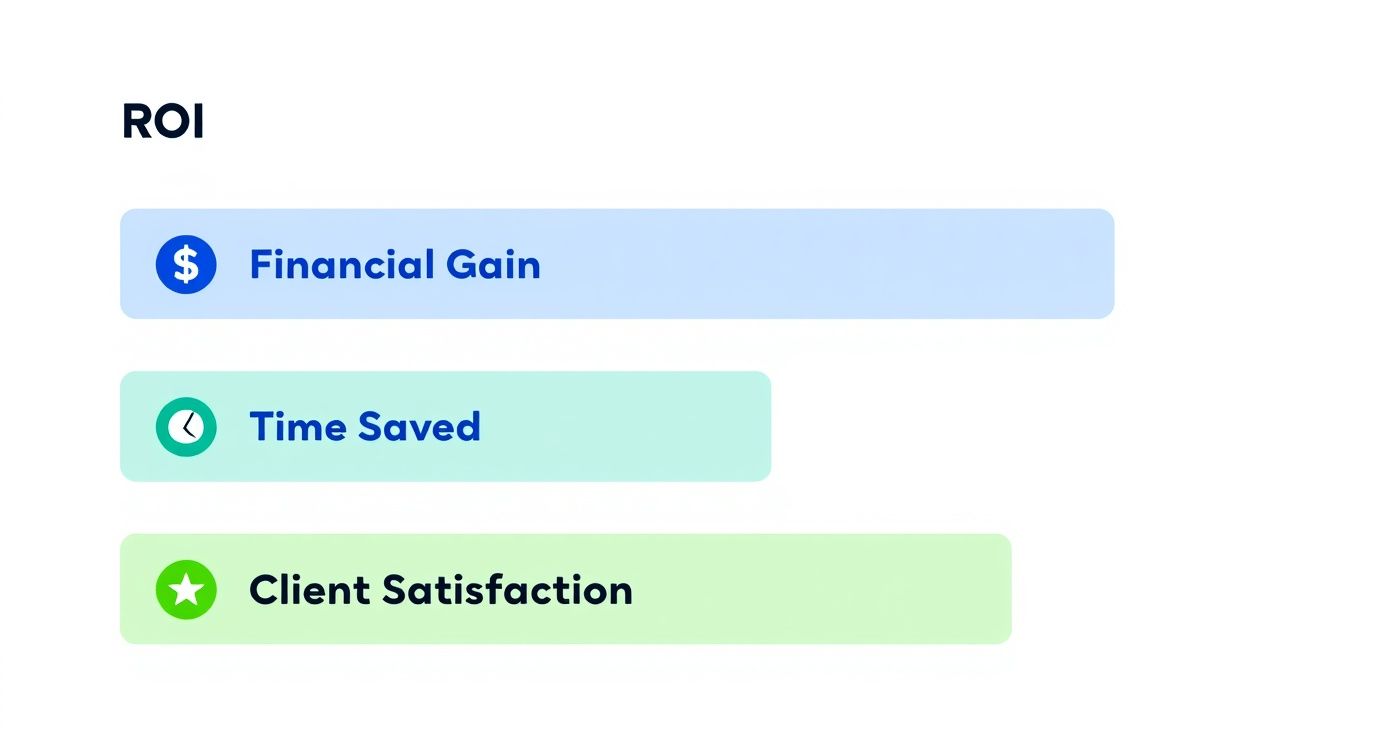
As you can see, it's a flywheel effect. The time you save directly fuels your firm's financial growth and frees you up to deliver the kind of client experience that gets people talking.
Direct Financial Gains and Reduced Overhead
The first and most obvious return comes from cutting the high cost of manual labor. Just think about the sheer number of hours your paralegals and case managers sink into repetitive administrative work. It's all necessary, but none of it is billable. Automation simply takes over those tasks, freeing up your most skilled people to focus on the strategic work that actually drives case value.
Then there are the hard costs we often forget about: the endless reams of paper, the ink, the postage for every single medical record request, and the cost of physical file storage. On a single case, these might seem trivial, but multiply that across your entire caseload, and the numbers become staggering. By digitizing these workflows, automation makes those costs practically disappear.
This drive for concrete savings is exactly why the legal tech sector is booming. The legal AI software market, a key piece of modern automation, jumped from $2.3 billion to $2.79 billion in a single year—a 20.9% growth rate. Firms are hungry for tools that deliver real financial results. If you're interested in the market trends, you can explore the data by reading the full market research report.
Quantifying Time Savings and Increased Capacity
Time is the one resource you can never get back. Every hour your team spends on a non-billable, administrative chore is a lost opportunity—an hour that could have been spent on case strategy, negotiating with adjusters, or talking to a client. Legal workflow automation is designed to give you those hours back.
To really see what this looks like, let's put some numbers to it. The table below breaks down the potential time savings for a typical PI firm handling a modest caseload.
Quantifying Time Savings From PI Workflow Automation
The data here illustrates just how many hours can be clawed back by automating some of the most common and time-consuming tasks in a PI practice.
| PI Workflow Task | Average Manual Time (Hours/Case) | Average Automated Time (Hours/Case) | Potential Hours Saved (Per 100 Cases) |
|---|---|---|---|
| New Client Intake & Onboarding | 2.5 | 0.5 | 200 |
| Medical Record Requests & Follow-Ups | 4.0 | 1.0 | 300 |
| Initial Demand Letter Drafting | 3.0 | 0.75 | 225 |
| Deadline & Statute Tracking | 1.5 | 0.25 | 125 |
| Total Hours Saved | 11.0 | 2.5 | 850 |
That's 850 hours saved for every 100 cases. This isn't just a number on a spreadsheet; it's the freedom to take on more cases without burning out your team or needing to hire more staff. That translates directly to a healthier, more profitable firm.
Enhanced Client Satisfaction and Referrals
Finally, let's talk about a powerful, but often overlooked, part of the ROI equation: the client experience. When your firm runs on automation, everything becomes smoother, more transparent, and more responsive from the client's perspective.
When workflows are automated, client updates are sent on time, deadlines are never missed, and case documents are generated without error. This consistency builds trust and confidence, which are the cornerstones of a strong client relationship.
And what happens when you have happy clients? They become your best marketing tool. They leave glowing online reviews and, more importantly, they refer their friends and family when they need help. That kind of word-of-mouth marketing is priceless, delivering a steady stream of high-quality leads right to your door and creating a powerful cycle of growth.
How to Successfully Implement Automation
Bringing any new technology into a law firm is, first and foremost, a human challenge. The technical side is often the easy part. The real test for any legal workflow automation software isn't about its feature list; it's about getting your team to embrace a new way of doing things. A thoughtful, people-first implementation plan is what separates a frustrating expense from a game-changing investment.
This process doesn't start with software demos. It starts with a hard look in the mirror at your firm's current operations. Think of it like mapping out a city's traffic flow. Before you can build a new highway, you have to understand every existing street, stop sign, and traffic jam. Get granular and document how tasks like client intake or medical record requests are actually handled right now, from start to finish.
This mapping exercise is critical. It shines a bright light on the biggest opportunities for automation—those repetitive, soul-crushing tasks that drain your team's energy and your firm's profitability. It's a sobering fact, but recent legal industry research shows lawyers spend just 2.9 hours per day on actual billable work. The rest is eaten up by administrative churn. Hitting those non-billable burdens first is the quickest way to prove the software's value.
Create a Phased Rollout Plan
Trying to automate the entire firm overnight is a classic mistake. It's a surefire way to overwhelm your staff, invite pushback, and guarantee a rocky start. A much smarter approach is to roll out the changes in phases, starting with a single, high-pain process. This lets you score an early win and gives your team time to adapt without feeling swamped.
A solid rollout plan has a few key ingredients:
- Start Small: Pick one distinct workflow to tackle first. Your initial client onboarding process is often a perfect candidate.
- Define Success: Know what victory looks like before you begin. For example: "We will reduce the time it takes to send a new client an engagement letter from two days to just two hours."
- Gather Feedback: Once the first phase is live, actively listen to your team. What's working? What's clunky? Use their real-world insights to tweak the process before you expand to the next workflow.
This deliberate, step-by-step method builds confidence. It turns what could be a massive, intimidating project into a series of small, manageable wins. You can see how firms are successfully integrating automation into their PI practices and the impressive results they're achieving.
Get Buy-In and Champion the Change
Even the most brilliant software will sit on the shelf if your team views it as a threat. Getting people on board means sidestepping the skepticism by clearly communicating what’s in it for them. Frame the change not as a replacement for their expertise, but as a powerful tool to eliminate the worst parts of their job.
Show your paralegals how the system will automatically follow up on medical record requests, freeing them up for more complex case development. Explain to your attorneys how it can instantly draft standard discovery requests, giving them back precious hours for high-value legal strategy. When people see how technology makes their work more meaningful, they'll want to use it.
You also need an internal "automation champion." This is often a tech-savvy paralegal or forward-thinking case manager who gets it. They become the point person for questions, training, and troubleshooting. Their excitement is contagious and helps create a culture where people are genuinely looking for smarter ways to work. By celebrating every small victory and providing hands-on training, you shift the narrative from a top-down mandate to a collective effort to build a better practice.
Your Vendor Evaluation Checklist
Choosing the right legal workflow automation software is a huge decision, but it doesn't have to be a shot in the dark. The trick is to look past the slick sales demos and dig into what really matters for your practice. A methodical approach is your best defense against picking a tool that doesn't truly fit the unique rhythm of a personal injury firm.
Think of it like preparing for trial. You’d never walk into court without organizing your evidence and mapping out your strategy. In the same way, you shouldn't go into a software demo without a clear list of what you need to see.
This checklist breaks down the four most important areas for any PI firm. Use it to compare vendors, ask tough questions, and make a decision you can stand behind for years to come.
PI-Specific Features
Generic, one-size-fits-all software simply won't work. Your firm lives and breathes in a world of medical records and complicated timelines, and your tools need to reflect that reality.
- Medical Record Management: Can the system actually read, organize, and pull key data from thousands of pages of medical records? More importantly, can it flag missing documents or tell you when there are gaps in a client's treatment history?
- Automated Demand Letter Drafting: How smart is it? Will the software pull together medical timelines, billing data, and key case facts to create a solid first draft of your demand letters, or just a basic template?
- Deadline and Statute Calculation: Can you trust it to automatically calculate every statute of limitations and filing deadline based on the incident date and jurisdiction? This has to be rock-solid.
Security and Compliance
Protecting your client’s information isn't a "nice-to-have" feature; it's the absolute bedrock of your practice. A vendor’s approach to security tells you everything you need to know about how well they understand the legal world.
A data breach involving Protected Health Information (PHI) can trigger devastating financial penalties and cause irreparable harm to your firm's reputation. Your software vendor must be a fortress for this data, period.
- HIPAA Compliance: Will the vendor sign a Business Associate Agreement (BAA)? If the answer is anything but an immediate "yes," walk away. This is non-negotiable.
- Data Encryption: Is all of your data—whether it's being sent or just sitting on a server—locked down with strong, end-to-end encryption?
- Access Controls: Can you set up detailed, role-based permissions? Your paralegals, associates, and intake specialists all need different levels of access, and the system must be able to manage that easily.
Vendor Support and Training
The most powerful software in the world is completely useless if your team can't figure out how to use it. The quality of a vendor’s support is every bit as important as the software itself.
- Onboarding Process: What does implementation look like? Are they offering a hands-on, structured plan designed for your firm, or are they just going to give you a login and point you to a help manual?
- Ongoing Training: What happens when you hire someone new? Do they have a clear process for training new team members? Do they provide regular updates and training on new features?
- Support Accessibility: When something goes wrong, how easy is it to get a human on the line? Is their support team available by phone and email during your actual business hours?
Pricing and Scalability
Finally, the numbers have to make sense for your firm's long-term goals. You need a partner that delivers value from day one and can grow with you without breaking the bank.
- Transparent Pricing: Is the pricing model straightforward, or is it a maze of add-ons and hidden fees? You need to know exactly what you're paying for data storage, support, and every single user.
- Scalability: Can the software keep up as your firm grows? Find out how easy—and how expensive—it is to add more users or handle a bigger caseload. You don't want to be penalized for your own success.
Frequently Asked Questions
Even when the benefits are clear, actually diving into workflow automation software can bring up a few practical questions. Here are some straightforward answers to the things we hear most often from personal injury attorneys who are considering this technology.
Will This Software Replace My Paralegals?
Absolutely not. That’s a common fear, but the goal is to empower your team, not replace them.
Think of automation software as a force multiplier. It takes over the tedious, repetitive tasks that drain your team's energy—things like chasing down medical records, manually entering data from one system to another, or drafting the same standard client letters over and over.
By handing off those chores to the software, you free up your paralegals to focus on the work that actually requires their expertise. They can dedicate more time to case strategy, complex legal research, and meaningful client interaction. In short, it helps them become even more valuable to your firm.
How Much Technical Skill Is Needed?
You don't need to be a tech wizard. The days of needing a dedicated IT person just to manage your firm’s software are long gone.
Most modern platforms are built for regular people, not programmers. They often use intuitive, drag-and-drop interfaces that feel more like moving sticky notes on a whiteboard than writing code.
Plus, any good vendor will provide solid onboarding and support. They'll walk your team through the setup and be there to answer questions later. The whole point is to give your staff a tool they can actually use, not a complicated system that gathers dust.
Can Automation Actually Improve Client Communication?
Yes, and this is one of the biggest wins you'll see. Legal workflow automation software helps you create a much more consistent and proactive client experience.
You can build simple workflows that automatically send clients updates when their case hits a new milestone. Imagine your client getting a quick email or text the moment you receive their medical records, without anyone on your team having to lift a finger.
Many platforms now include secure client portals, too. This gives your clients a single, protected place to check case progress, upload documents, and send messages. It dramatically cuts down on the "just checking in" phone calls and builds a ton of trust.
Is This Technology Only Affordable for Large Firms?
This used to be true, but not anymore. While the big firms were the first to jump on board, the market has completely changed. Today, there are powerful and affordable options for practices of all sizes.
Most vendors now offer flexible subscription-based pricing. This means you can start small, paying only for what you need, and then add more features as your firm grows. It makes automation a smart, manageable investment instead of a massive upfront cost, putting smaller PI firms on a level playing field with the giants.
Ready to eliminate administrative bottlenecks and empower your team to focus on winning cases? Ares provides an AI-powered platform that automates medical record review and demand letter drafting, saving PI firms 10+ hours per case. Discover how you can settle faster and claim bigger.